Development Plan
In Nala, you can create and track customized development plans for each employee, based on one-on-one agreements.
Additionally, you can manage commitments you've made with your leader for your own growth. All in one place and always accessible to you!
Manage your team's agreements
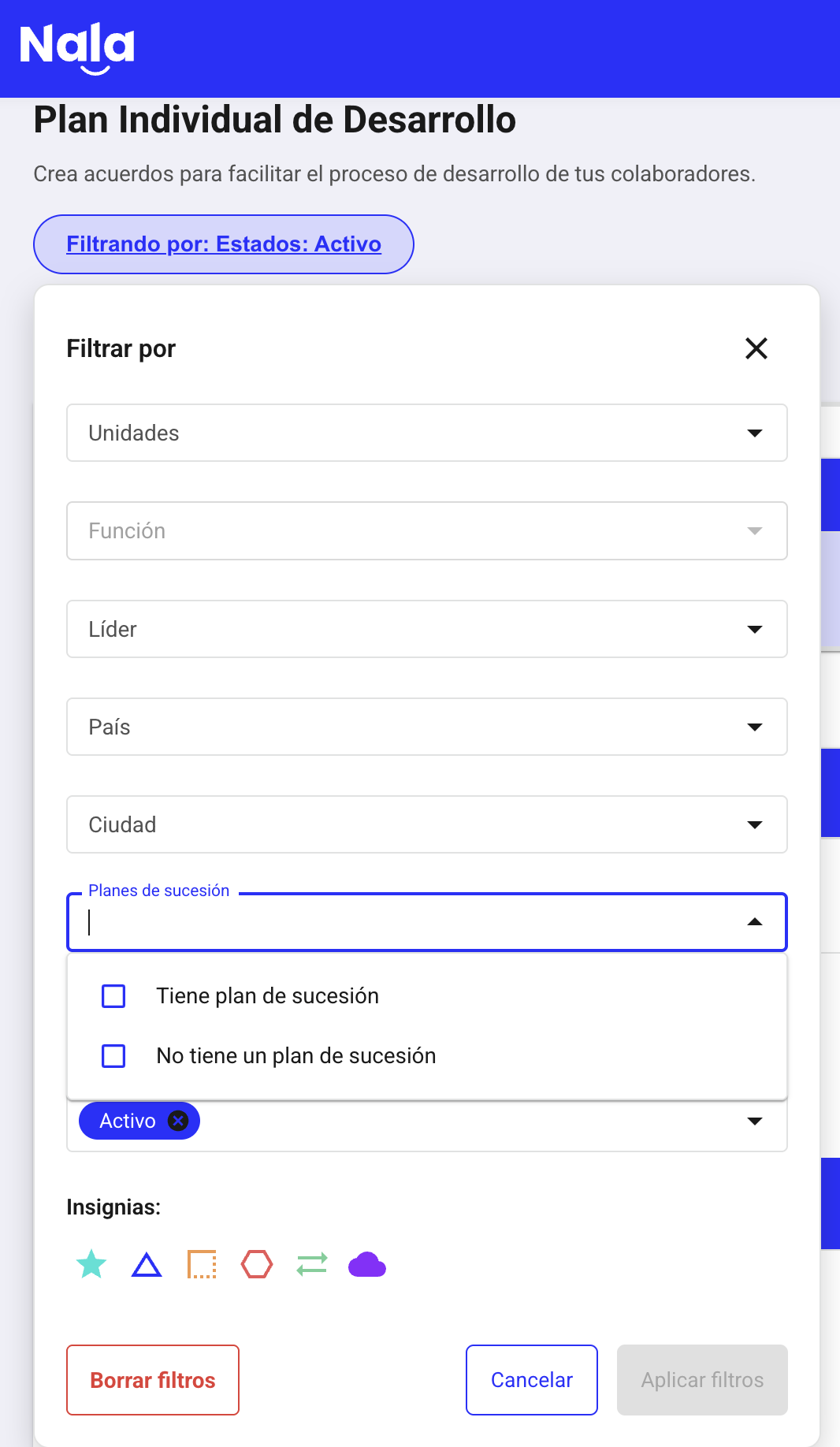
How to identify who has an assigned succession plan?
As an administrator or leader, you can filter by succession plans. This means they are marked as successors for a specific position in Nala.
This is used to prioritize assignment of development plans.
How to create a development plan?
Search for the employee using the search bar
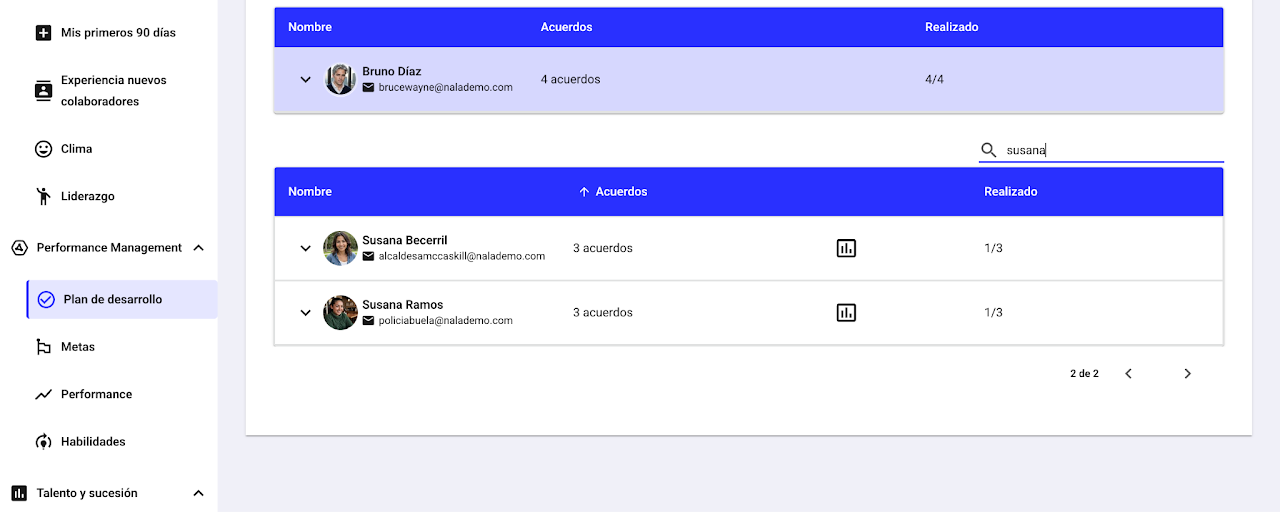
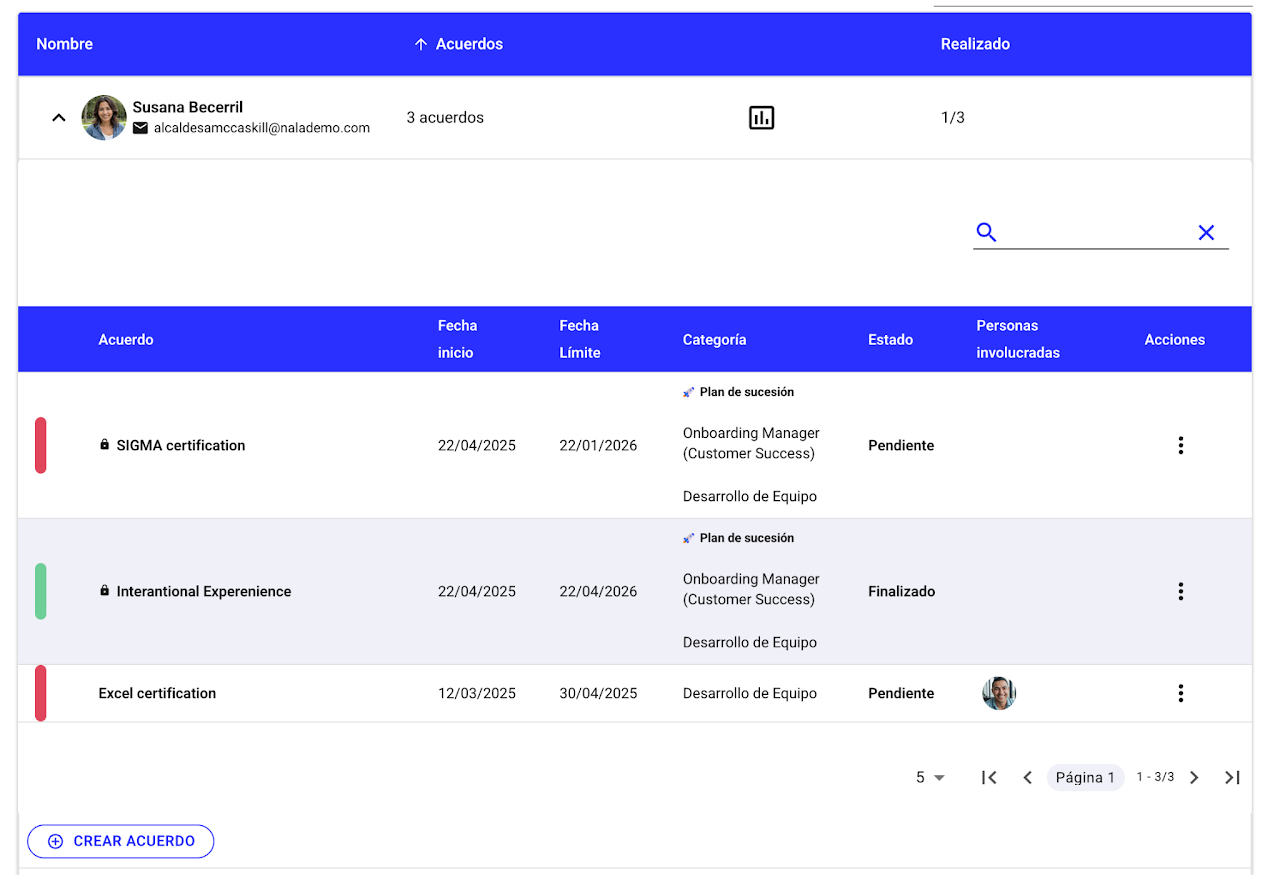
Click the arrow next to their name
Select “Create agreement”
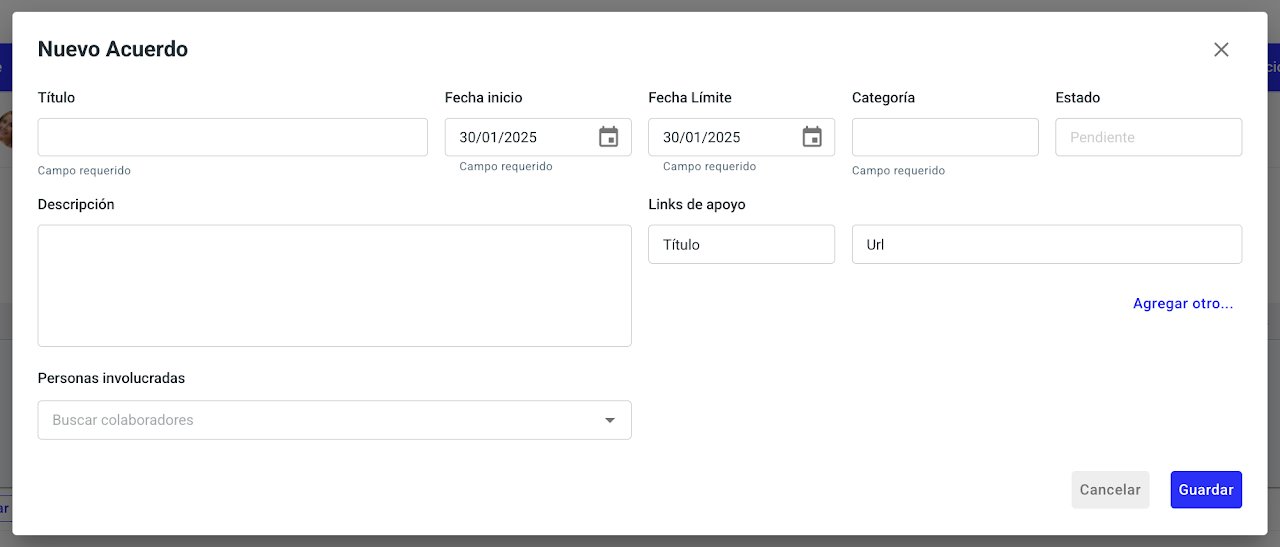
Complete the required information
Save
Can I hide a development plan from the employee?
As a leader or admin when creating an agreement, you will see a checkbox to make the agreement private. By default, it will always be enabled.
It is important to disable it if you want the employee to be able to track their own agreement.
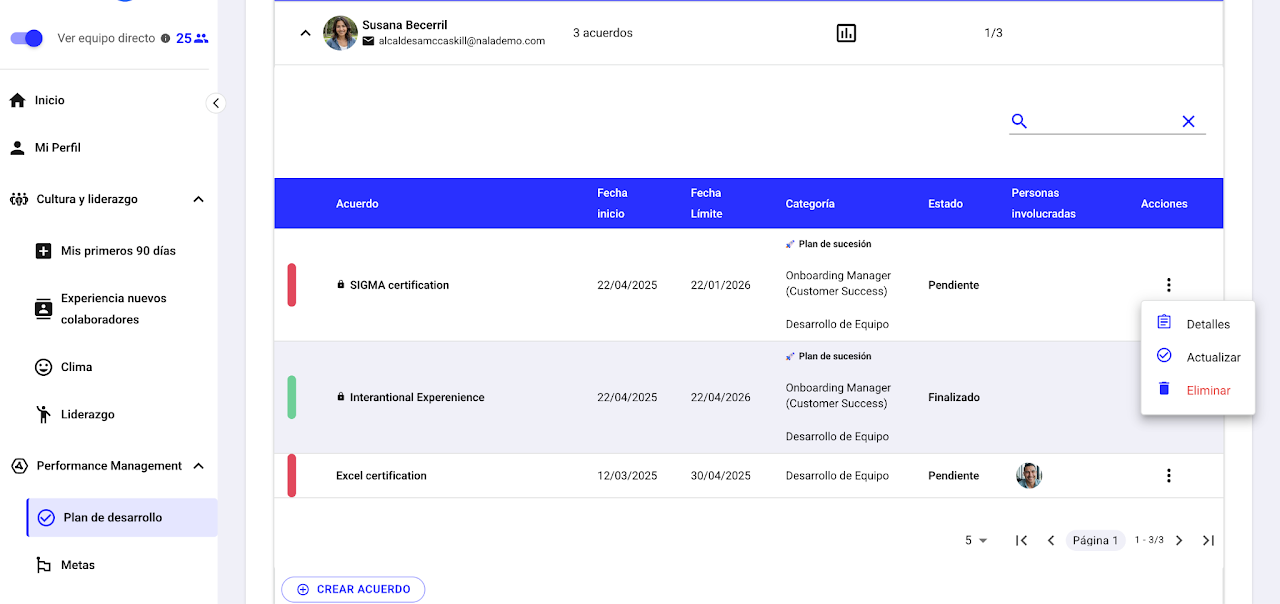
How to update a development plan?
Expand the employee
Select the year
Click the three dots of the plan
Select “Update”

Don’t let talent slip away
Keep your team motivated and engaged. With Nala, you can monitor the risk of attrition of each member and take timely action.
Anticipate and retain your top talent!