Positions and Successors
Positions and Successors
How to Start Defining Critical Positions and Successors?
If you are just starting to define critical positions in Nala and defining successors seems overwhelming, we recommend viewing the following resources:
Step 1
Step 2
Step 3
How to Define Critical Positions in Nala?
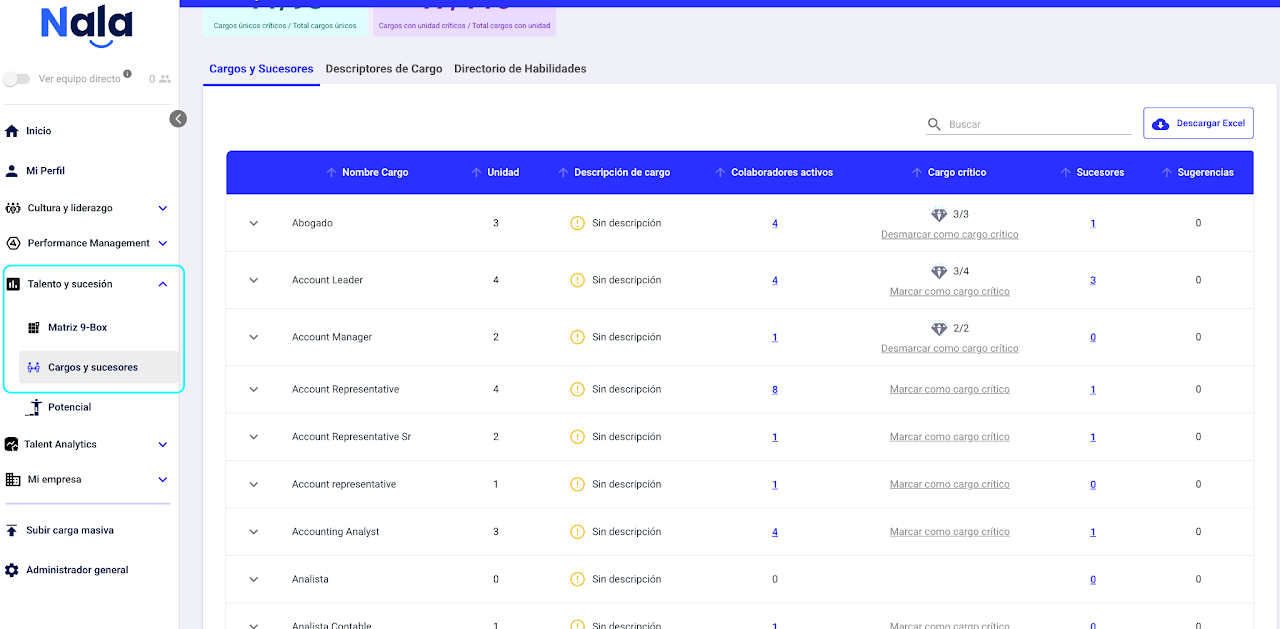
In the Talent and Succession module, you will find the "Positions and Successors" option. On the first tab, you can define which positions within your organization are critical.
To mark a position as critical, just click the "Mark as Critical Position" option.
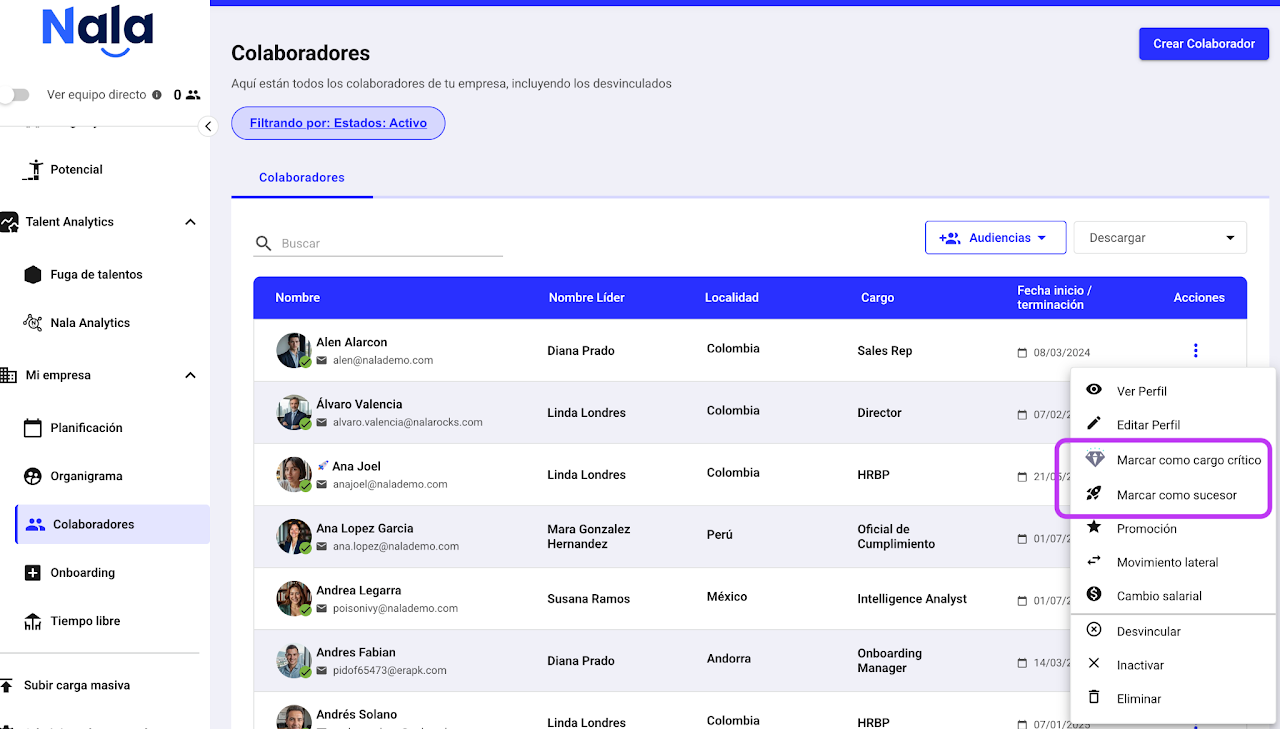
You can also go to the employee table and find those who hold a critical position, then select the three dots and click "Mark as Critical Position". This will automatically define that position as critical and mark each employee with the same position name with a diamond 💎.
How to Assign Successors?
Option 1
From the employee table, select the three dots and click "Mark as Successor".
Option 2
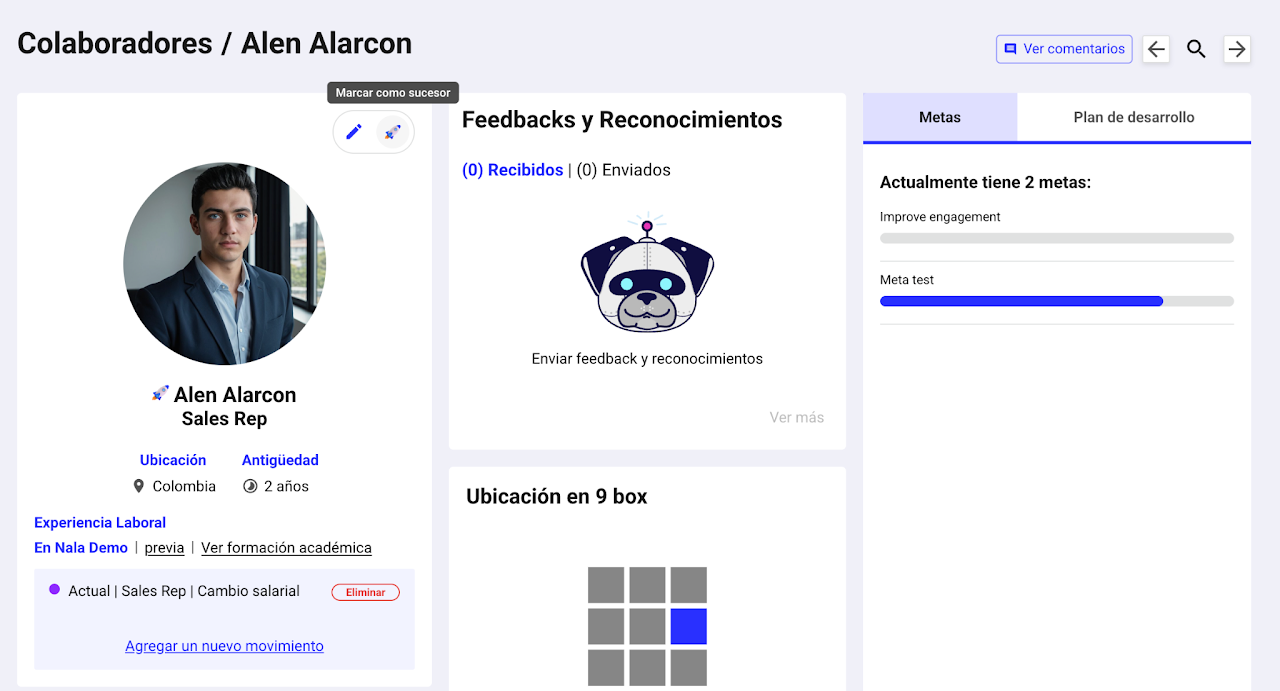
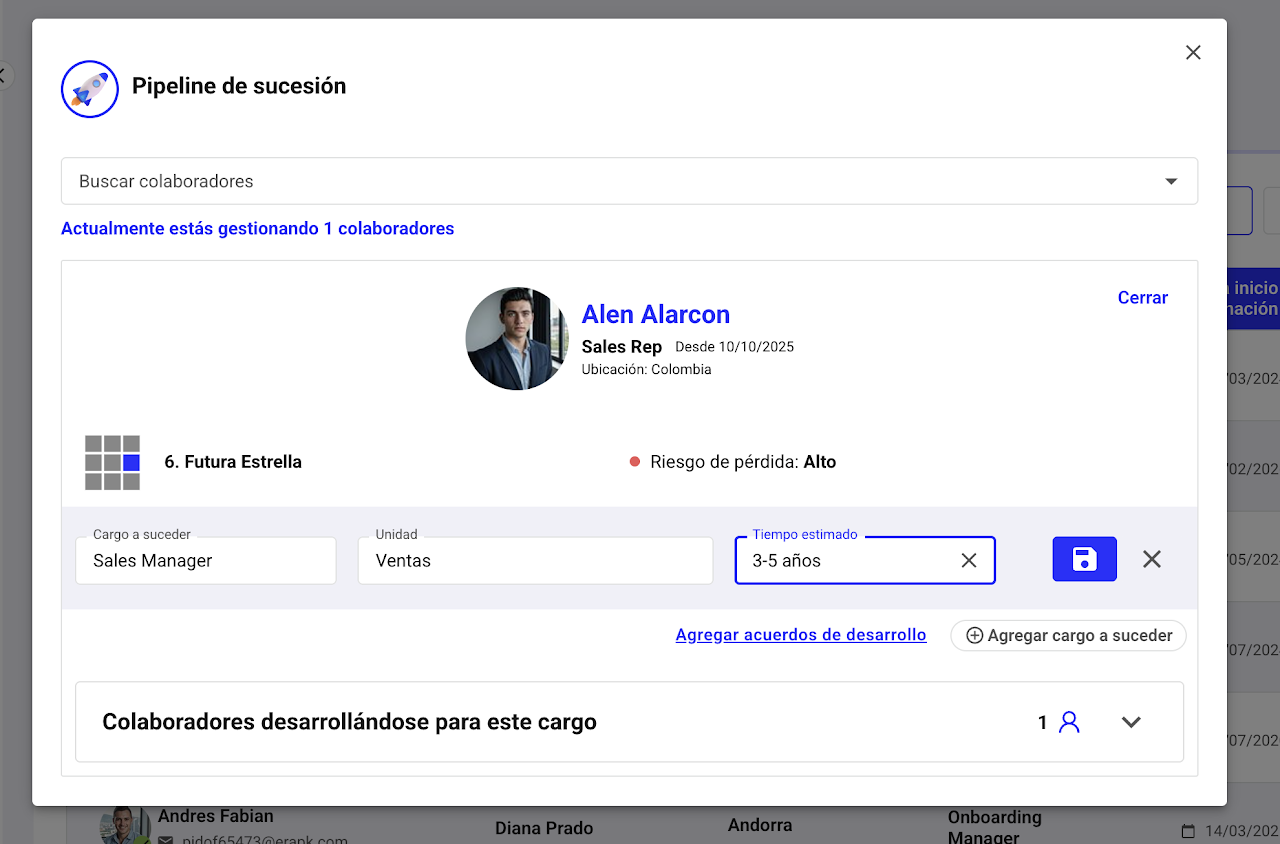
From the employee profile, select the rocket icon 🚀 "Mark as Successor".
A modal will appear where you must select "Add Position to Succeed." Then, under "Employees Developing for this Position," you can see who is preparing for the employee’s position in question.
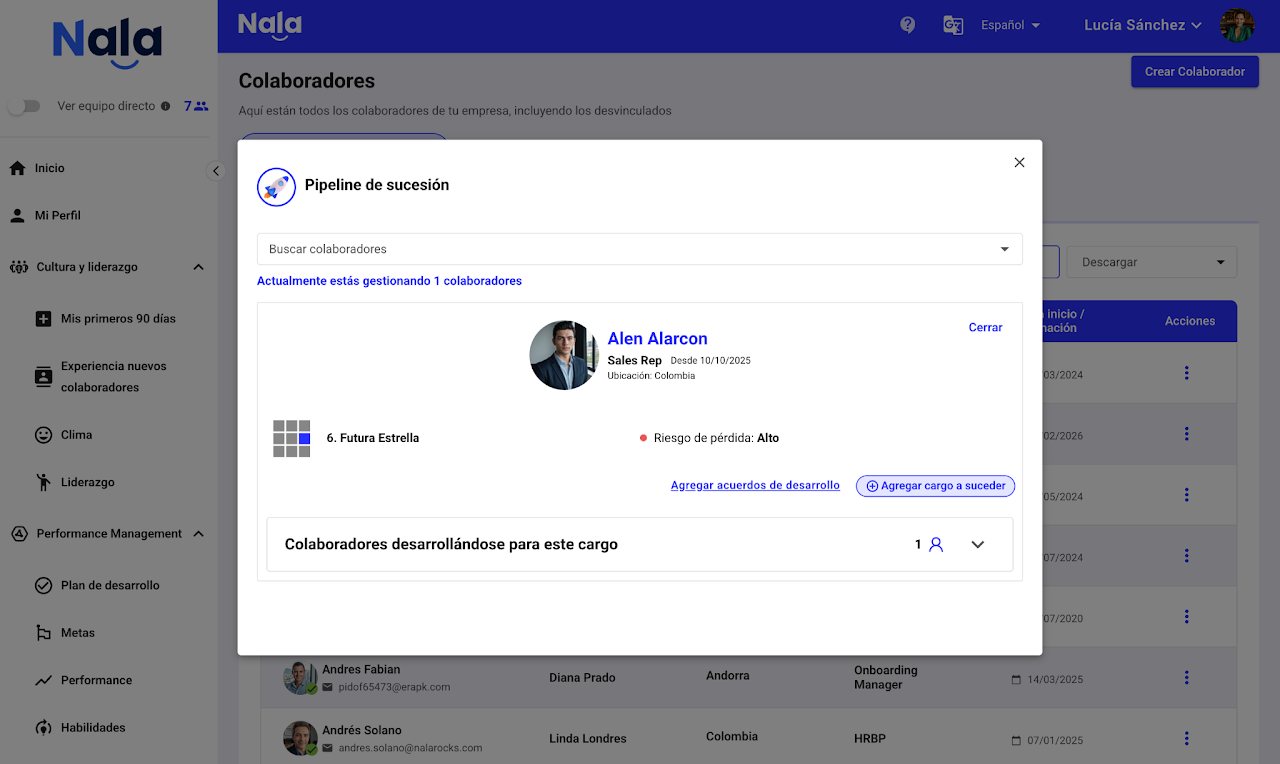
After selecting "Add Position to Succeed," search for the position, associate it with the unit, define the estimated preparation or readiness time for the employee to reach the position, and click save 💾.
Position Descriptors
How to Create Position Descriptors?
The position descriptions section allows you to create the different positions in the organization, associating descriptors and linking profiles to each position.
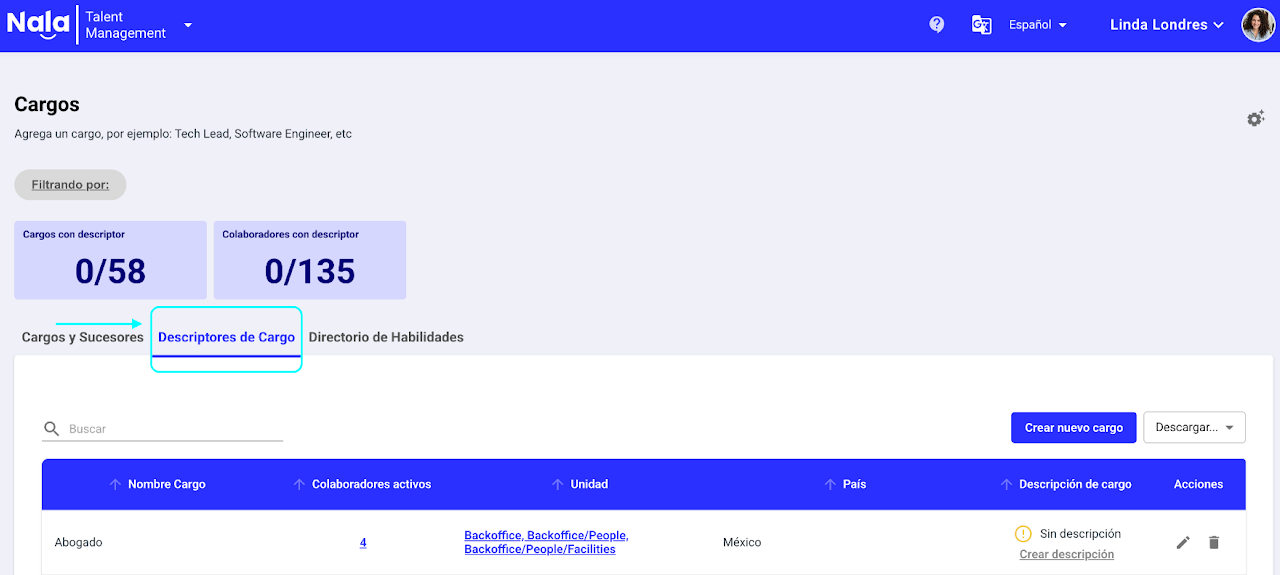
By clicking the settings gear icon in the upper right corner of the section, you can customize the position descriptor template and modify:
Blocks for Positions
Skill Association
Job Requirements
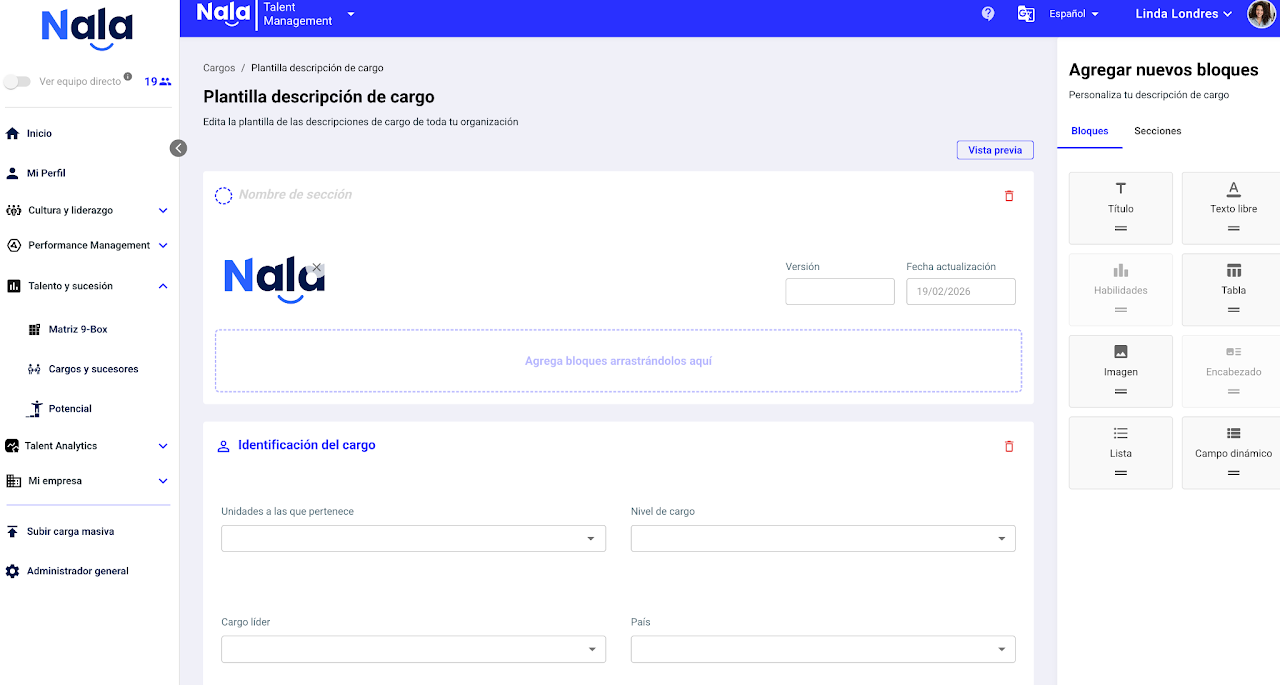
Once the job descriptor template is defined, you will be able to:
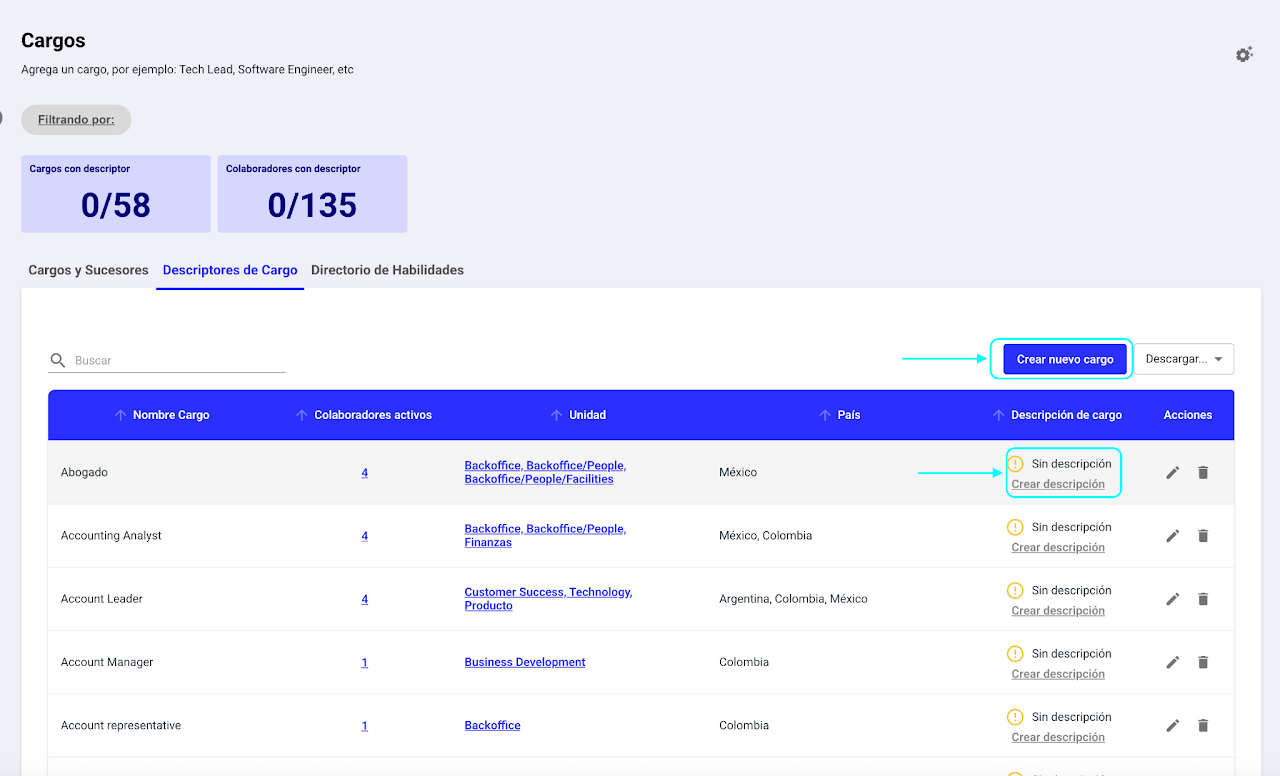
Create a new job
Edit or create the description associated with a job.
By linking directory skills to a job description, it becomes possible to compare two profiles for a job or see the skills an employee in a defined succession line must work on or develop
Why are job descriptions important?
Job descriptions are the foundation for effective talent management. They allow you to:
✅ Clearly define roles and responsibilities
✅ Align expectations between leaders and employees
✅ Support selection, evaluation, and development processes
✅ Facilitate identification of critical jobs and succession
✅ Link skills, performance, and development plans
✅ Keep the organizational structure orderly and up to date
In Nala, job descriptions not only document information but also integrate directly with the talent ecosystem: performance, goals, Ninebox, and development plans.
How to define the job descriptor template?
Select the gear
Set up the base job description template
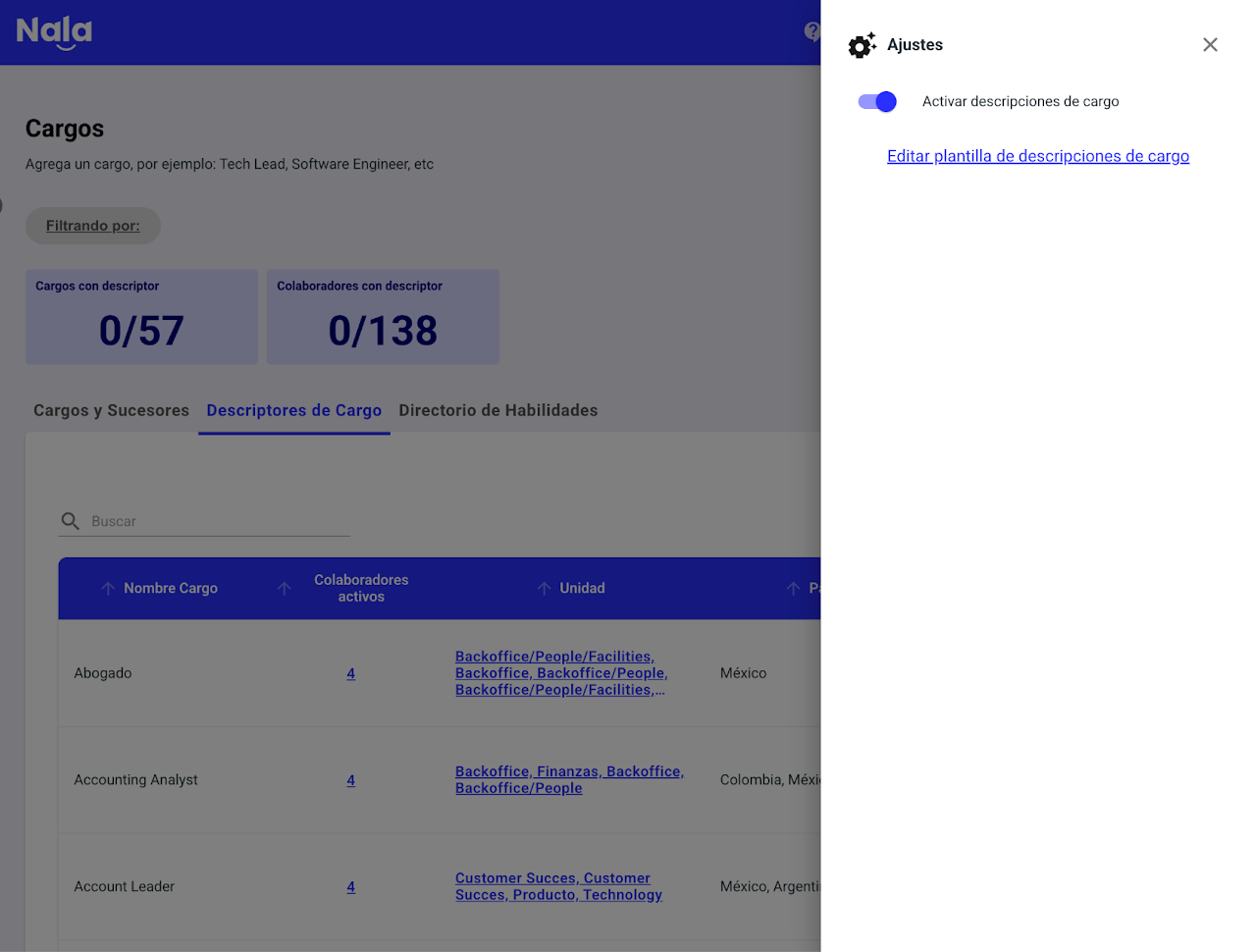
This step defines the structure you will use for all jobs in your organization.
Log in as Administrator or Job Administrator.
Navigate to Jobs and Successors.
Select the settings icon (⚙️) to edit the job description template.
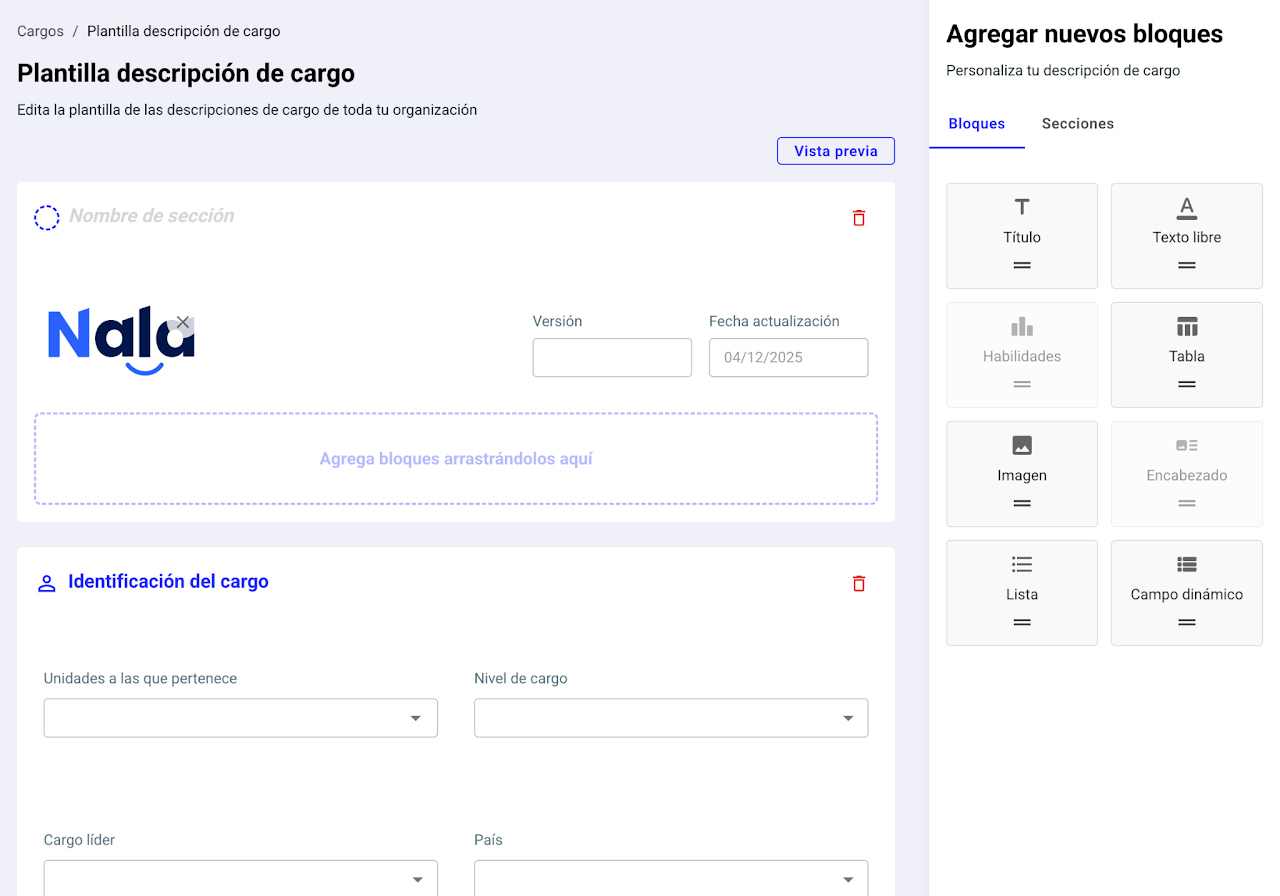
Customize the block format:
Add or remove sections
Define the fields you want to include
Adjust the order and logic of the information
ℹ️ Important:
This template will be the basis for all job descriptions created on the platform.
📩 Bulk upload:
If you want to upload descriptions in bulk, first configure the format inside Nala, then contact the Customer Success team to coordinate the upload.
2. Create a job description
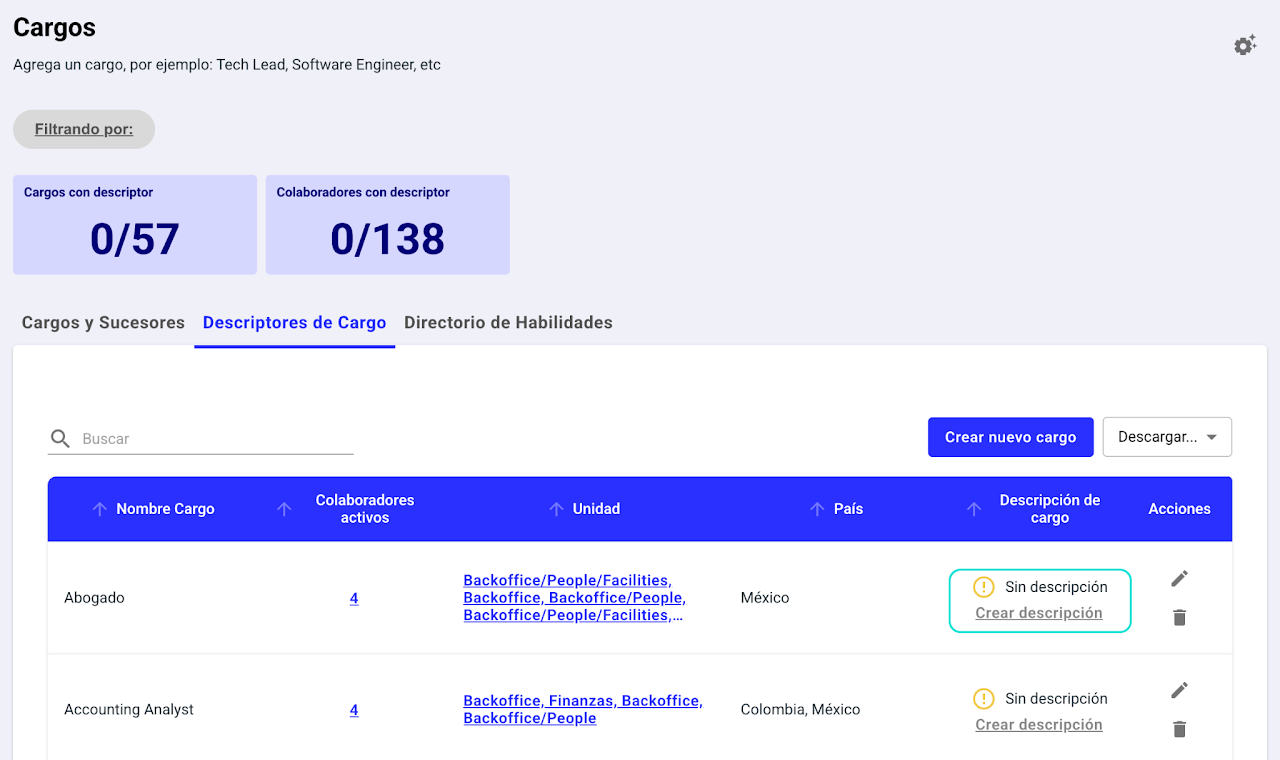
Once the template is defined, start creating individual descriptions:
Go to the Job Descriptions tab.
Click Create Description.
3. The system will show you a box where you can select "View list" to see which employees hold that job and identify the units and countries they are in.
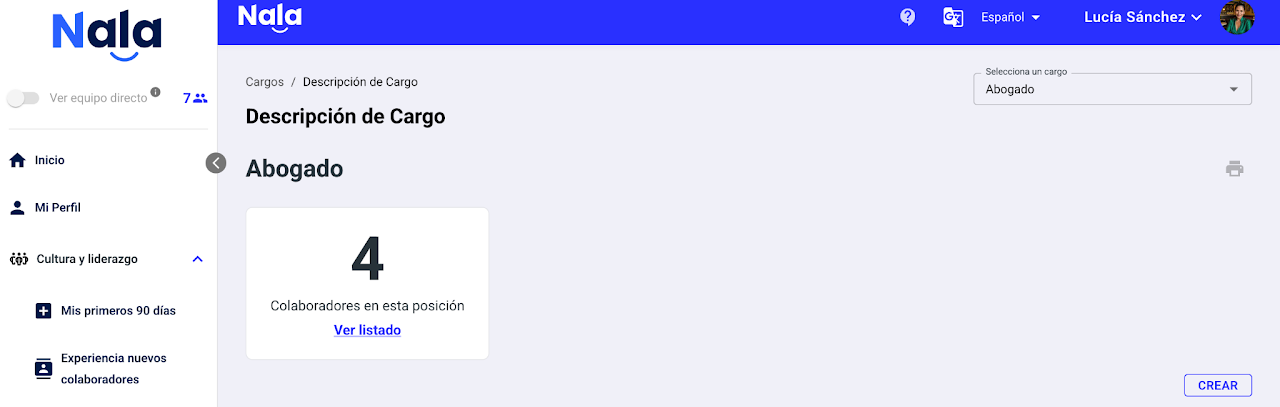
4. Select Create.
5. Fill in the fields according to the configured template:
Main function
Responsibilities
Requirements
Skills
Relationship with other areas, etc.
6. Click Save. ⚠️ If you don't save, you will lose the entered information.
How to download job descriptions?
Access the Job Descriptions list.
Select Download.
A consolidated file will be generated with:
All descriptions
Automatic index for easy navigation
Tip: Keep job descriptions up to date
Job descriptions are living documents.
✅ Update them periodically
✅ Adjust functions based on organizational changes
✅ Align jobs with new strategies or structures
✅ Review after promotions, transfers, or redesigns