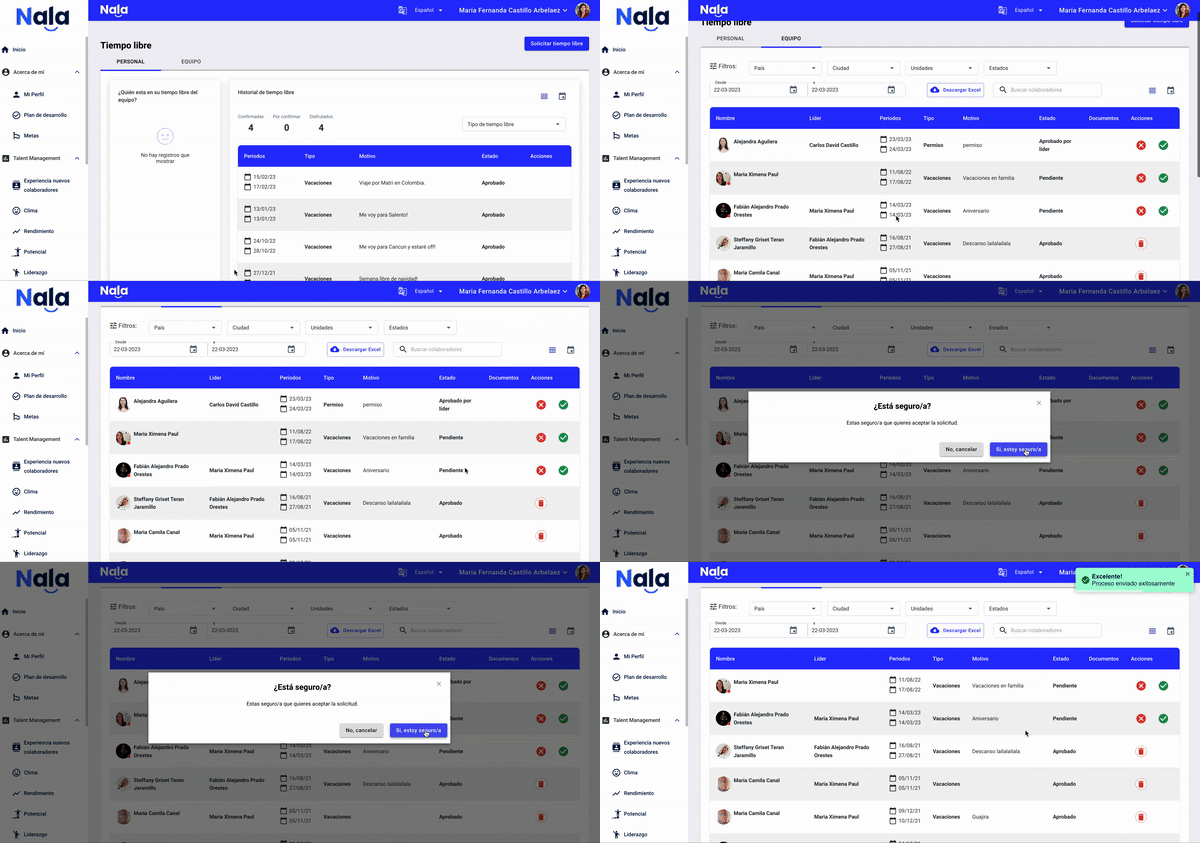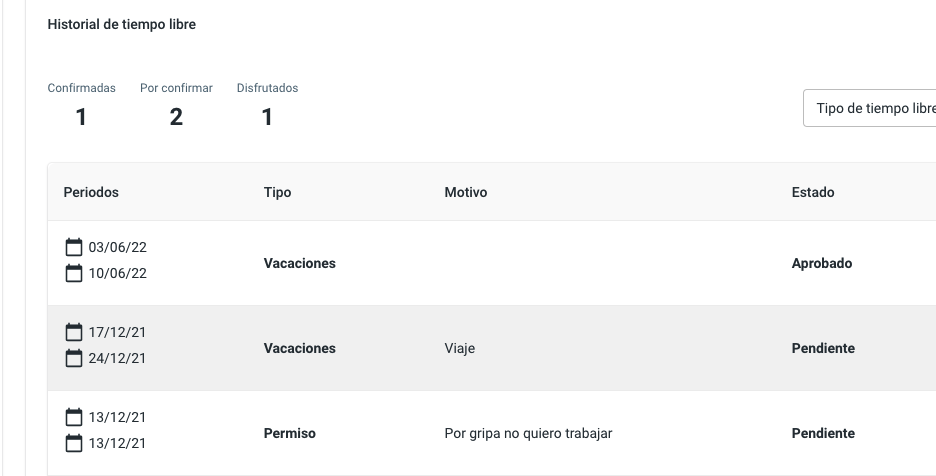
Nala lets you manage the approval workflow for your team’s Time Off. Below we explain how to use this module based on your role.
When a Time Off request is made, the immediate leader will be notified and must approve or reject the request. Finally, your company's HR administrator or manager must give the final approval. Each step generates an email notification to the involved parties to facilitate workflow monitoring.
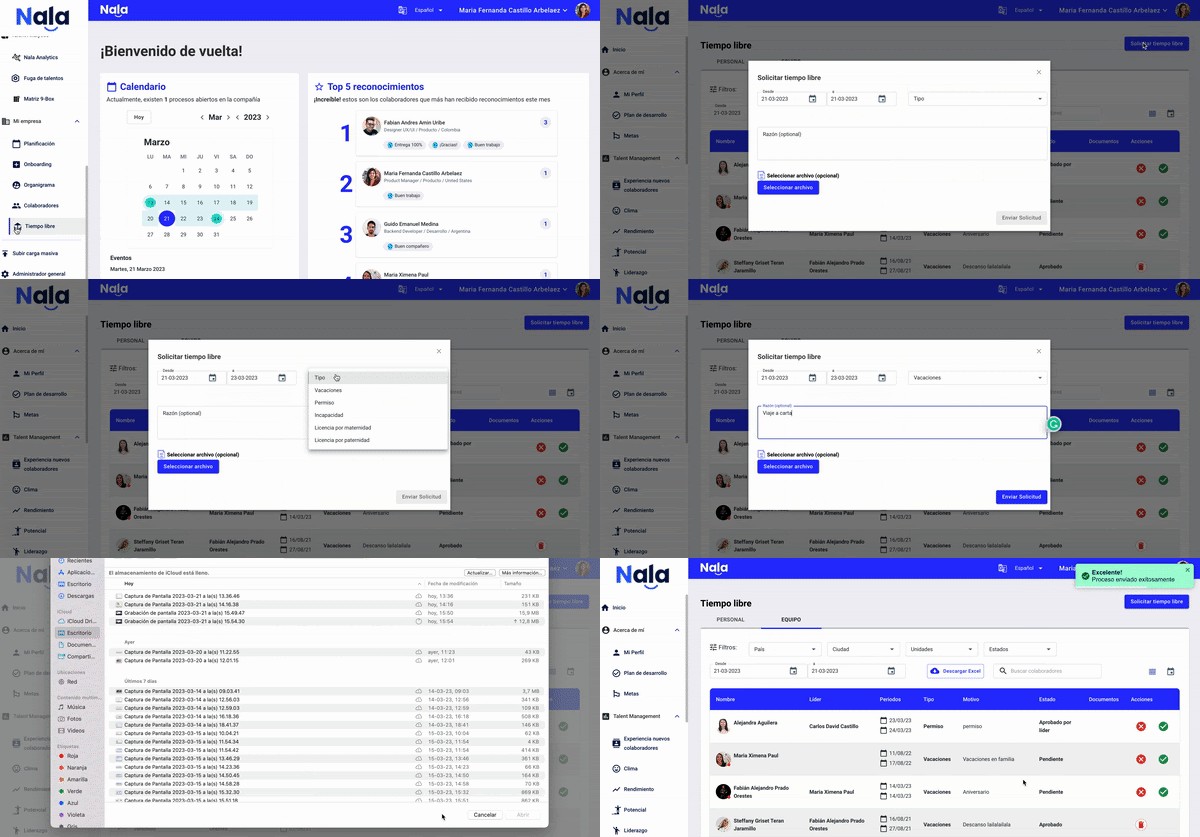
How to request time off
Go to the "Time Off" module, which for employees is under "About Me" and for administrators under "My Company":
Request the type of time off
Choose the type of time off you will take
The date
You can leave an open comment and attach a file if necessary
Submit
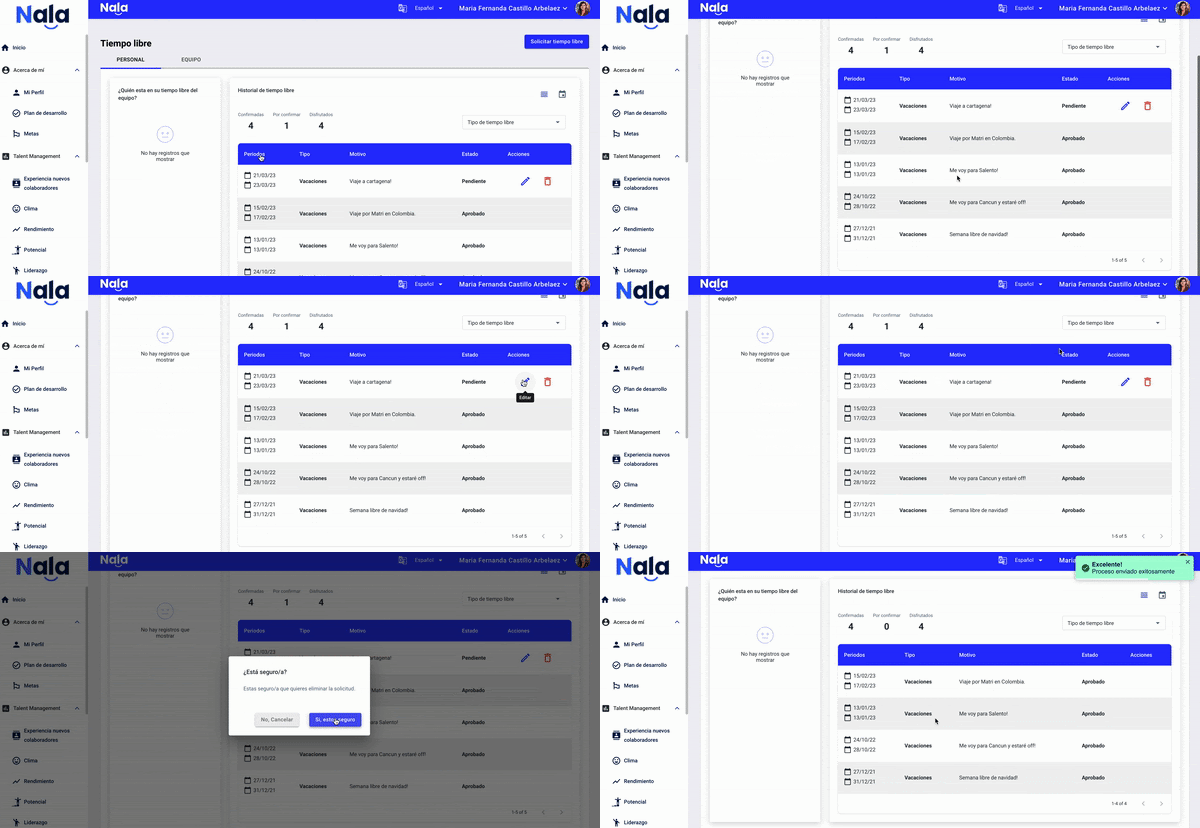
Can I edit or delete my time off?
This action is only available before it has been approved by my leader or the administrator.
My time off
In the list of requested days for periods I can still modify, an edit (pencil) or delete (trash can) icon will appear.
What happens when a leader approves or rejects time off requests?
As a leader you will receive an email notifying you of your employee’s time off request.
If you reject it, your employee will immediately receive a rejection email where you can explain the reason.
If you approve it, they will not receive any notification until the administrator (People team) approves it.
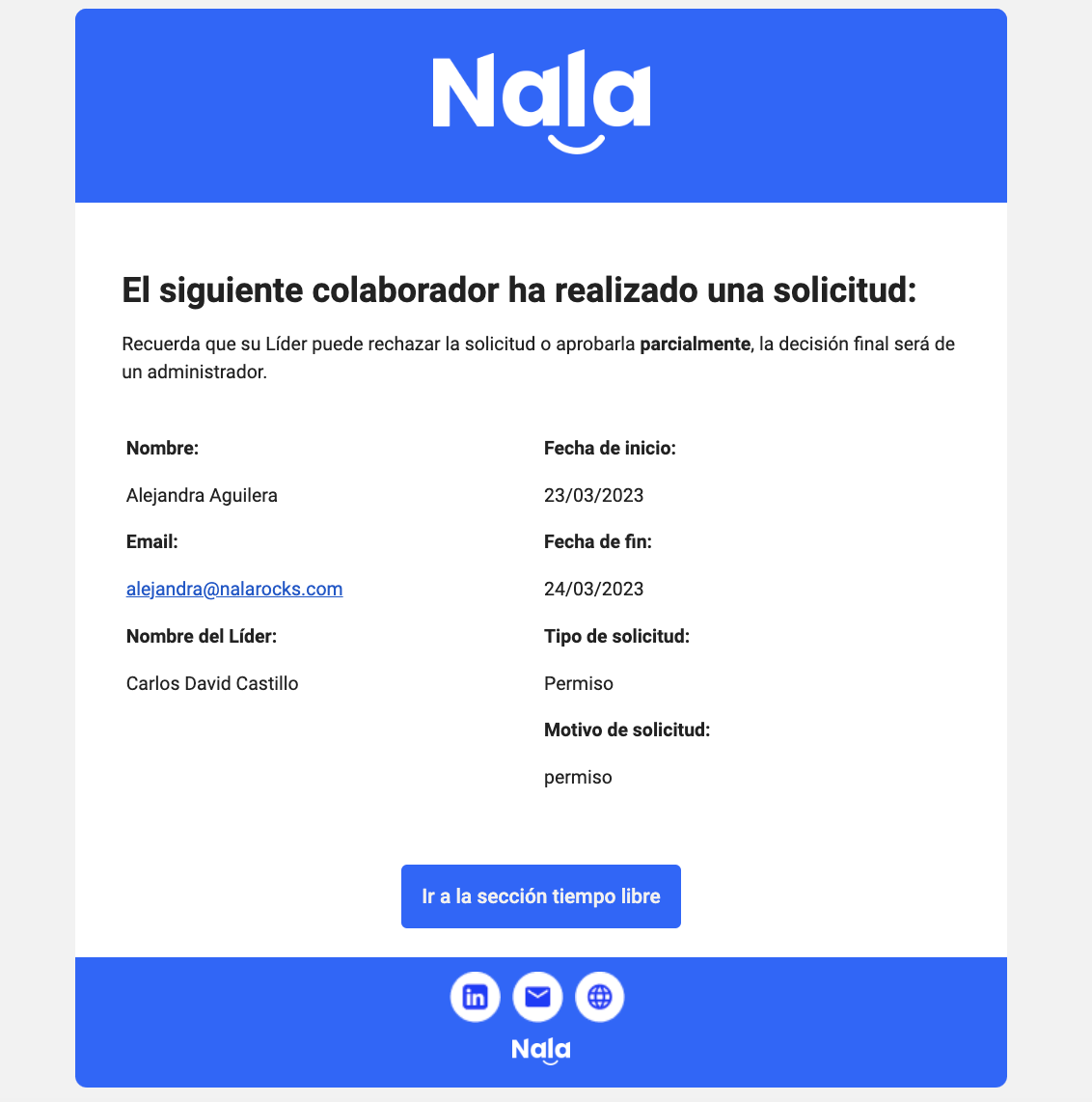
As administrator or time off administrator you will receive an email notifying you of the employee’s time off request and the leader’s approval.
If you reject it the employee will immediately receive an email about the rejection, where you can provide the reason.
If you approve it, they will receive an approval email .